Two apps for the Mac.
No account. No analytics in the apps. macOS 26 or later.
Rempart
A network monitor and firewall for the Mac.

Cadastre
A disk space map and app uninstaller for the Mac.
Rempart
Coming to the Mac App Store
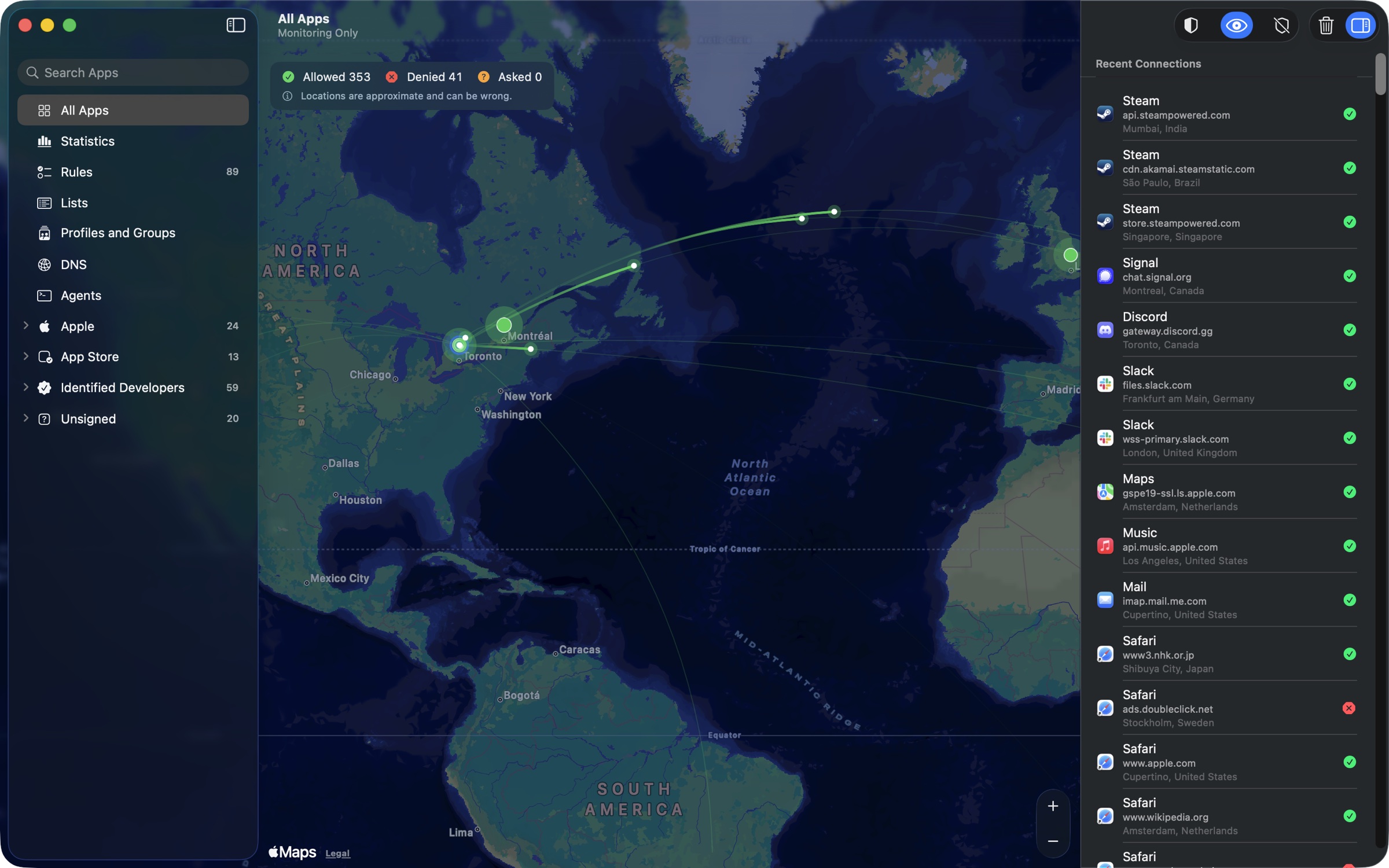
See every server your apps connect to, on a live map, and decide which connections are allowed.
A weather app wants to connect to telemetry.example on port 443.
Free: monitoring
- A live map of the servers apps connect to, colored by allowed or denied.
- A live log of connections, and statistics by app, server, country and outcome.
- Live traffic in the menu bar.
- Three modes: Filter, Monitor (watch and record, block nothing), Off.
Filtering: a one-time purchase
- A prompt when an app connects without a matching rule: allow or deny, once, for an hour, until the app quits, until restart, or for good.
- Rules by app, server, domain (*.example.com), port and protocol.
- Blocklists from a built-in catalog: ads, trackers, content.
- Profiles that switch with the Wi-Fi network, and a silent mode that logs its decisions.
Cadastre
$2.99, paid once
See what takes space, free it, and remove apps with everything they left behind.
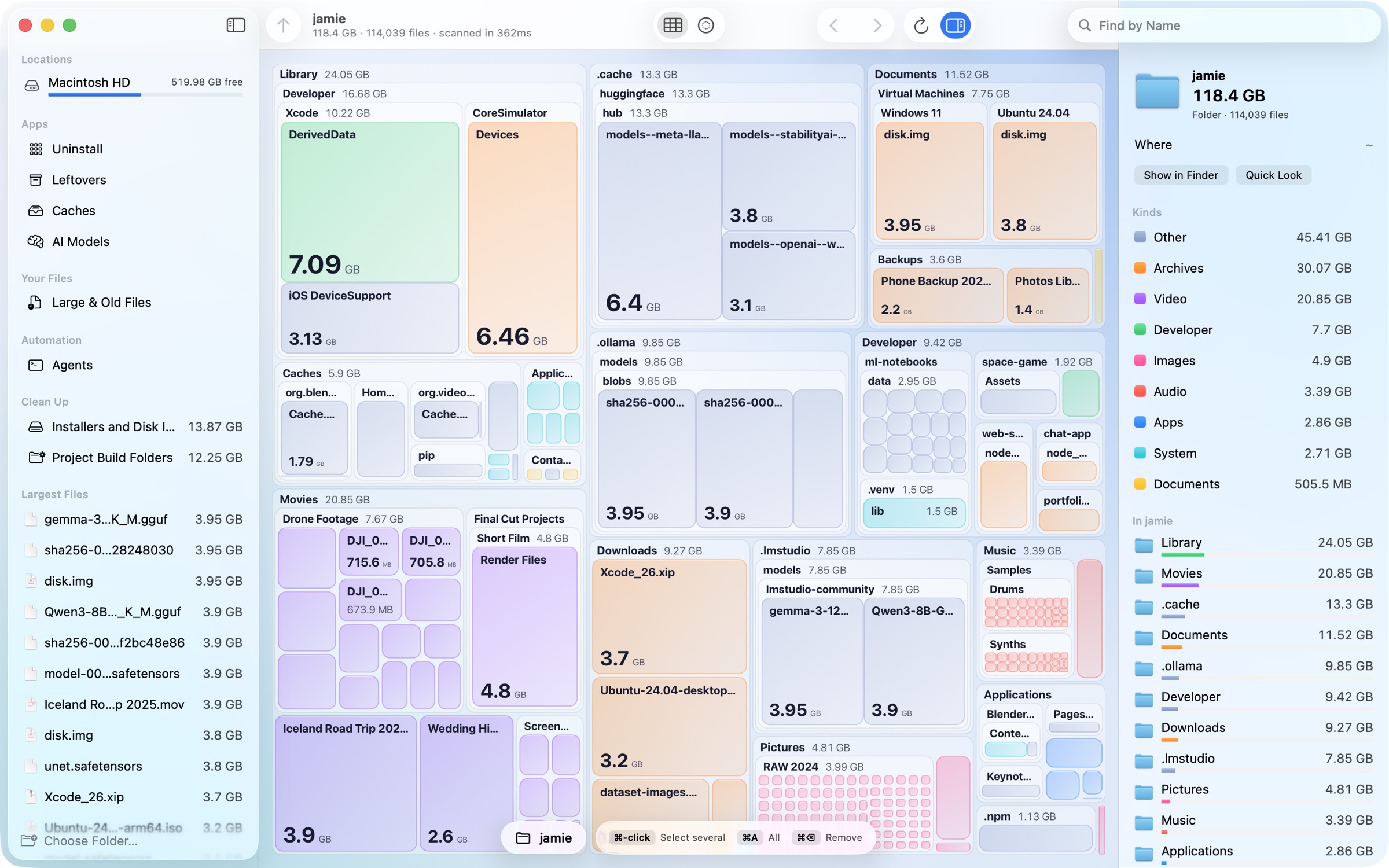
Find the space
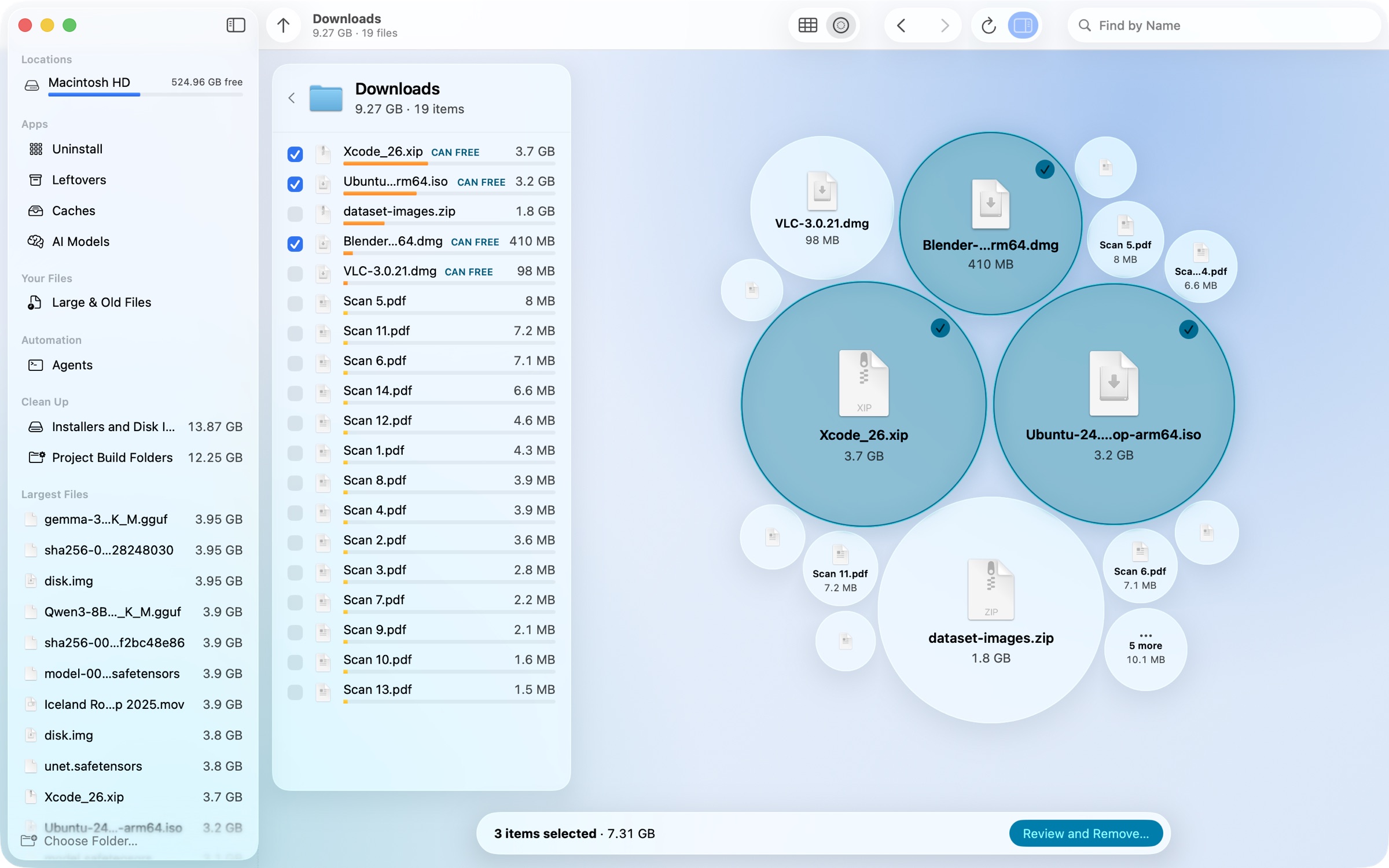
- Survey: a folder’s largest items as orbs beside a checklist. Tick items in either place; a bar adds them up.
- Caches apps rebuild, downloaded AI models (Ollama, Hugging Face, LM Studio), large and old files.
- Measured on a test folder: 5.3 million items, 131 GB, scanned in 20 to 23 seconds.
Remove it safely
- Uninstall an app with its support files, caches, preferences and background items.
- Find leftovers that no installed app owns.
- Nothing is deleted outright: everything goes to the Trash and Put Back works. Every removal asks first and lists what moves.
Ready for agents, on your terms.
Each app has an optional command-line tool for agents, off until you turn it on. Any change it asks for needs your click in the app.